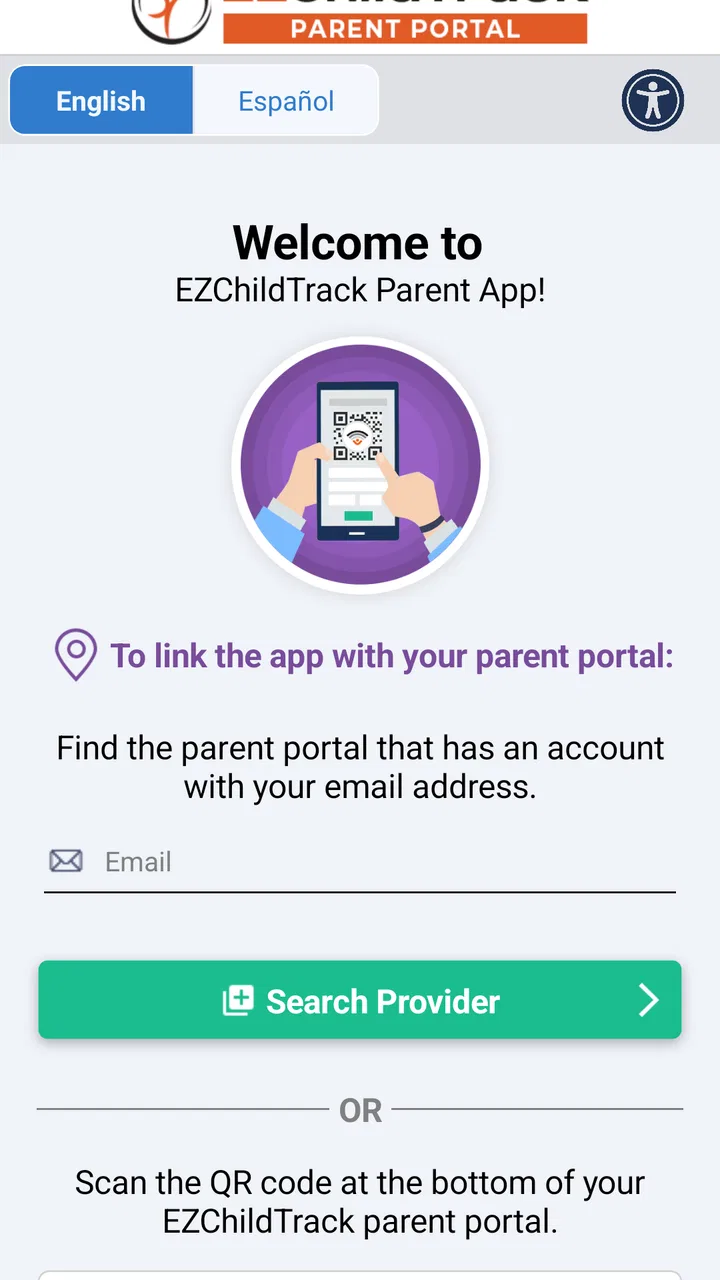
EZChildTrack Parent Portal
- 3.0
- Rating
- 10.00K
- Installs
- Free
- Price

 Analysis by App-foxy
I approached EZChildTrack Parent Portal as a parent-facing tool rather than a general family organizer, and that distinction matters. It comes from EZChildTrack, a developer focused on childcare management software, so its usefulness depends heavily on whether your childcare provider already works with that system. If your child’s center uses it, the app can become a practical place to stay connected with childcare administration. If not, installing it will not magically replace your provider’s existing process.
The app is free and listed for Everyone, which makes the initial barrier low for families. It belongs in the parenting category, but I would not compare it directly with a broad calendar, messaging app, or child-development tracker. Its purpose is narrower: it acts as a parent portal around an organization’s childcare workflow. That focused approach can be helpful because it avoids filling the screen with unrelated family features, although it also means the experience is only as useful as the information and services your childcare provider has enabled.
How the current parent experience feels
My first impression is that this is an access point to a childcare relationship, not an app I would open casually throughout the day. A parent typically comes here with a specific reason: checking something connected with the child’s care, responding to an administrative need, or reviewing information supplied through the center’s system. That makes the app most valuable when it reduces the need to search through paper notes, separate messages, or a provider’s web-based process.
You May Also Like

 Pandora - Music & Podcasts
Pandora’s Music Is Easy to Start, but Harder to Recover
Pandora’s strength is its low-effort path from a seed to a station. Its weak spot is how much confidence it asks you to place in connection, setup, and quiet recovery.

 AccuWeather: Weather Radar
AccuWeather Review: A Quick, Clear Forecast for Everyday Decisions
For everyday plans, the best forecast is the one you can understand quickly. AccuWeather makes rain timing, radar, and local conditions easy to act on, with a few trade-offs.

 Hill Climb Racing
Why Hill Climb Racing Still Turns Crashes Into One More Run
A tiny car, a bumpy hill and one more upgrade: Hill Climb Racing keeps resurfacing because its simple chaos makes every near-miss feel personal.

 AliExpress - Shopping App
AliExpress Makes Global Shopping Feel Personal, but Shoppers Bear the Risk
AliExpress turns a global marketplace into a pocket-sized discovery engine. Its reach is useful, its shopping loop compelling, and its trade-offs easy to miss.

 Lords Mobile: Kingdom Wars
Lords Mobile Is a Kingdom-Building Routine, Not a Quick Match
A case-by-case verdict on the building, battles, device demands, and social commitments that make Lords Mobile rewarding for some players and exhausting for others.

 PDF Scanner app - TapScanner
TapScanner Makes Paperwork Easier to Capture, Check, and Share
TapScanner makes scanning with a phone feel less like a rescue operation and more like a dependable step in getting work done. Its capture tools are useful, though not flawless.
More From Our News Desk
View All News


The benefit is especially clear for families who share childcare responsibilities. Instead of relying on one parent to forward every update, a dedicated parent portal gives each authorized user a more direct route to the center’s information. In practice, that can make handoffs easier: the parent collecting a child after work can check the relevant details without calling the other parent first.
There is also a useful psychological advantage to a specialized portal. A general messaging app mixes childcare notices with everything else in your life, while a family calendar may show an event without explaining the administrative context behind it. A childcare-focused app keeps the purpose clearer. When I open it, I expect information related to the child’s placement and the provider’s process, not recipes, shopping reminders, or a social feed.
That focus comes with an important condition: the childcare center remains part of the experience. This is not a standalone parenting companion that can provide value independently. The provider’s setup, communication habits, and use of the EZChildTrack system determine how much you can actually do. Two parents could install the same app and have noticeably different experiences because their centers use the portal differently.
Where it fits into a normal childcare day
Imagine a parent preparing for a busy weekday. One adult leaves early, another handles pickup, and the family does not have time for a phone call during the morning rush. A parent portal is useful in that situation because it puts childcare-related information in a place both adults can check. The practical improvement is not necessarily dramatic; it is the removal of small moments of uncertainty that otherwise create extra messages and interruptions.
I would also use it as part of a short routine rather than constantly refreshing it. Checking the portal before leaving for work, then again before pickup, is more realistic than treating it like a live social network. That approach helps avoid the common mistake of expecting every childcare update to behave like an instant notification. The app should support your provider’s communication process, not replace direct contact when something is urgent or unclear.
For a parent managing several children, the value can come from keeping childcare information separate from school, sports, and medical apps. That separation is not always convenient, but it can make it easier to identify which information belongs to the childcare provider. I found the strongest case for this kind of app when the family already has too many scattered channels and needs one recognized place for center-related tasks.
What the version information tells me
The current version is 2025.0.1009, and the app was released on April 16, 2023. Those details suggest a product that has continued into a newer version line rather than remaining frozen at its launch state. I would treat that as a positive sign for ongoing maintenance, but not as proof that every part of the parent experience has been redesigned or improved.
For existing users, a newer version can matter in less visible ways. A portal may feel more dependable after updates even when the basic screens and workflow look familiar. Compatibility improvements, adjustments to account handling, or refinements around provider communication can be more important to daily use than a dramatic new feature. I would update it when prompted, especially if the center expects parents to use the current release.
At the same time, I would not install an update assuming it will change the way your childcare center operates. The app is only one layer of the system. If a center has not adopted a particular workflow, a newer version cannot create that service on its own. This is an important distinction for parents who see a recent version number and expect a completely different product.
The minimum operating-system requirement is Android 5.0, so the stated compatibility reaches back to older Android devices. That is convenient for families who keep an older phone as a backup, though real-world performance can still depend on the handset and its software condition. If the app feels slow on an aging device, the issue may be the phone rather than the portal’s childcare function.
What changes mean for people already using it
If you already rely on the portal, the safest way to judge an update is by looking at the tasks you perform most often. Can you reach the information you need without extra steps? Does the account remain accessible? Are the center’s messages or records presented in a way that is easy to understand? These questions are more useful than simply asking whether the interface looks newer.
I would also recommend checking the app after updating before an especially busy childcare day. Open the areas you normally use, confirm that your account is still recognized, and make sure you know where routine information now appears. This is not a criticism unique to EZChildTrack; any provider-connected app can become frustrating when a parent discovers a changed workflow while standing outside the center at pickup time.
Families should remember that an app update and a provider update are not always the same thing. The developer can improve the software, while the childcare center controls much of the content and timing that reaches parents. If something appears outdated or incomplete, contacting the center may be more productive than repeatedly reinstalling the app.
The product’s average rating is 3.0 from around twenty ratings, with about ten written reviews. I read that as a signal to keep expectations measured rather than as a final verdict. A small review pool can reflect individual login problems, device differences, or dissatisfaction with a provider’s workflow as much as the app itself. Still, the rating suggests that a perfectly smooth experience should not be assumed.
Practical strengths and everyday friction
The clearest strength is having a dedicated bridge between parents and a participating childcare provider. That is more useful than it sounds when a family is juggling multiple adults, changing schedules, and frequent administrative details. The portal gives the childcare relationship its own space, which can reduce dependence on informal forwarding and memory.
Another strength is its narrow purpose. I do not want a childcare app to bury important provider information under entertainment features or unrelated content. A focused tool is easier to explain to another caregiver: this is the app connected with the child’s center. That clarity can help grandparents, babysitters, or a second parent understand where to look, provided the provider has arranged access for them.
The main limitation is also its narrow purpose. Parents looking for meal planning, developmental activities, health tracking, schoolwork, or a shared family calendar will need other tools. EZChildTrack Parent Portal should not be judged as a complete family-management suite because it is designed around childcare administration. Choosing it means accepting a specialized tool rather than expecting one app to organize every part of family life.
A second friction point is dependence on the childcare center. The portal cannot be more informative than the provider’s own use of the system. If staff communicate primarily through another channel, the app may feel empty or redundant. Before encouraging every caregiver in the family to install it, I would ask the center exactly what they expect parents to use it for and which types of information will appear there.
There is also a difference between convenience and urgency. A parent portal can make routine communication easier, but I would not rely on it as the only route for a time-sensitive health concern, an immediate pickup change, or an emergency. When timing matters, use the contact method the center has identified for urgent situations. The app is best treated as part of the communication system, not the entire system.
Three ways to get more value from it
First, make the portal part of the handoff between caregivers. Rather than one parent becoming the permanent information holder, both adults can check the same source before pickup or after a schedule change. This reduces the risk that an important detail stays trapped in a text message or verbal conversation.
Second, use it to separate provider information from personal notes. If you keep a family calendar, reserve that calendar for your own commitments and use the portal for center-related information. This prevents a copied entry from becoming stale when the provider changes or clarifies something. The trade-off is that you must remember to check two places, but the information is less likely to be confused.
Third, test the workflow before you need it. Open the portal during a calm moment, identify where routine information is found, and show another caregiver the basic path. This small preparation is particularly helpful for a backup pickup person who may not use the app regularly. A portal is only convenient if the people who need it know how to reach the relevant information.
A fourth useful habit is to distinguish an app problem from an account or provider problem. If the app opens but the expected childcare information is missing, reinstalling may not solve anything. Check whether the issue affects the account, the center’s setup, or the current communication channel. That diagnosis can save time and lead to a more precise question for the provider.
Who should choose it, and who should skip it
I would recommend trying it when your childcare provider actively uses EZChildTrack and wants parents to access the center’s system through a mobile device. It is a sensible fit for parents who want childcare information separated from personal messaging, and for families where more than one adult needs a consistent point of reference.
I would be more cautious if your center rarely updates its portal or gives instructions through another app. In that case, the installation may create one more place to check without reducing confusion. Ask the provider whether the portal is required, optional, or intended for a particular set of tasks before making it part of your routine.
It is also not the best choice for someone seeking a broad parenting dashboard. A general family organizer will be better for shared appointments, chores, shopping, and household scheduling. A direct phone call or the provider’s designated urgent channel will be better when a response is needed immediately. The right comparison is not “which app has more features?” but “which tool matches this specific childcare task?”
Privacy and access should be handled thoughtfully in any parent portal. I would avoid sharing one login casually among every caregiver if the center offers separate authorized access, because individual access is easier to manage when a caregiver’s role changes. The provider is the right place to ask about adding or removing users and about the intended account process.
What I would watch in future releases
For future versions, I would look for improvements that make the parent-provider connection clearer without adding unnecessary complexity. Better guidance around account setup, obvious separation between routine information and urgent communication, and a dependable experience across older Android devices would all matter more to me than decorative interface changes.
I would also watch how the product handles the boundary between software and provider responsibility. The strongest version of a parent portal makes it obvious where a parent should look, what action is expected, and when to contact the center directly. That clarity is especially important for families who do not use childcare software often.
The current version shows that the product is still being maintained, while the modest rating indicates that the experience deserves a practical trial rather than unconditional enthusiasm. I would install it when my center supports it, test the everyday workflow, and keep the provider’s alternative contact method available. That is a realistic way to benefit from the portal without depending on it for every childcare question.
My final view is favorable but limited: this is a useful specialized companion for families whose childcare provider is already part of the EZChildTrack ecosystem. It can simplify routine access and make caregiver handoffs less dependent on memory. It is not a universal parenting app, and it cannot compensate for unclear communication from a center. For the right provider, the free download is worth trying; for everyone else, a familiar family organizer or the center’s established communication method may be the better fit.
FAQs for EZChildTrack Parent Portal
01What is the EZChildTrack Parent Portal and what can I do with it?
The EZChildTrack Parent Portal is a comprehensive app designed to streamline communication between parents and childcare providers. With this app, you can manage your child's enrollment, view attendance records, make payments, and receive important notifications. It's a convenient way to stay informed about your child’s daycare activities and updates.
02How secure is the EZChildTrack Parent Portal for managing my child's information?
Security is a top priority for the EZChildTrack Parent Portal. It employs robust encryption and secure login protocols to protect sensitive personal and financial information. Users can be assured that their data is handled securely, adhering to industry standards to ensure privacy and confidentiality at all times.
03Can I access the EZChildTrack Parent Portal on both Android and iOS devices?
Yes, the EZChildTrack Parent Portal is available on both Android and iOS platforms. This makes it convenient for parents to access the portal from any smartphone or tablet, ensuring flexibility and ease of use whether you’re at home or on the go.
04Are there any fees associated with using the EZChildTrack Parent Portal?
The app itself is free to download. However, some childcare providers may include service fees for specific transactions or features within the portal. It’s advisable to check with your childcare provider for any potential costs associated with using the app's services.
05What should I do if I encounter technical issues with the EZChildTrack Parent Portal?
If you experience technical issues with the EZChildTrack Parent Portal, first ensure your app is up-to-date and your device meets the necessary requirements. For persistent issues, contact the app's customer support or your childcare provider. They can guide you through troubleshooting steps or escalate the issue if needed.
Pros
- User-friendly interface for easy navigation.
- Real-time updates on child activities.
- Secure login for data protection.
- Access to billing and payment history.
- Customizable notification settings.
Cons
- Limited offline functionality.
- Occasional sync issues with server.
- No integration with other calendar apps.
- Requires frequent updates for smooth use.
- Limited support for non-English languages.

EZChildTrack Parent Portal
Gallery